
Extending your project with more ray features
Congrats, you have now successfully deployed a ray project! Ray has a lot of features that dont require configuration baked in, but to make the most of ray, you might want to explore some of the features listed below that do require configuration:
Different deployments
One of ray's main features is being able to have different branches on your git repository accessible as different deployment channels. You can choose to automatically enroll a percentage of users into a channel, or have a development channel that requires authentication from someone with access to the ray server. See the example below:
{
    "Projects": [
        {
            "Name" : "new-project",
            "Src" : "https://github.com/username/new-project-repo",
            "Domain" : "localhost",
            "Deployments": [
                {
                    "Branch": "cool-feature",
                    "Type": "test",
                    "Enrollment": 15
                },
                {
                    "Branch": "dev-branch",
                    "Type": "dev"
                }
            ]
        }
    ],
}
In this example, every new user on your site has a 15% chance of being enrolled into the cool-feature channel, and the dev-branch channel can only be accessed by authenticated users with access to the ray server.
TLS
You can configure tls (https) for your projects in two ways, either you supply your own certificates, or ray router can automatically issue and renew a certificate from Lets Encrypt. For example:
{
    "Projects" : {}, //...
    "TLS" : {
        "Provider" : "letsencrypt"
    }
}
For automatic certificates, set the provider to "letsencrypt", for your own certificates, set the provider to "custom", and supply the certificate and private key in PEM format like so:
{
    "Projects" : {}, //...
    "TLS" : {
        "Provider" : "custom",
        "Certificate" : "-----BEGIN CERTIFICATE-----\n      certificate goes here   \n-----END CERTIFICATE-----\n",
        "PrivateKey" : "-----BEGIN RSA PRIVATE KEY-----\n   private key goes here   \n-----END RSA PRIVATE KEY-----\n"
    }
}
Plugins
Plugins allow you to pass certain data from ray into your apps. There is currently only one plugin, raystatus, which passes information about running ray processes to create status pages. To receive data from a plugin, specify the PluginImplementation field:
{
    "EnableRayUtil" : true,
    "Projects" : [
        {
            "Name" : "cool-node-project",
            "Src" : "https://github.com/axellse/cool-nodejs-project",
            "PluginImplementation" : "raystatus",
            "Domain" : "localhost"
        }
    ]
}
This project can now receive plugin data in json format on every request through the x-rls-plugin-data header. For an example of what you can make with raystatus, see modernstatus.axell.me
Middleware
Ray supports compatible middleware, simply specify a destination with the Middleware field and ray router will route there. Your middleware should then forward the request to your app, which is given in the x-middleware-dest header.
{
    "EnableRayUtil" : true,
    "Projects" : [
        {
            "Name" : "cool-node-project",
            "Src" : "https://github.com/axellse/cool-nodejs-project",
            "Middleware" : "localhost:3001",
            "Domain" : "localhost"
        }
    ]
}
rayutil
rayutil is an optional feature of ray to have a small JS bundle be inserted alongside your page content (don't worry, it's not fetched remotely). Rayutil provides a few different methods and utilities for working with ray in the browser. To enable it, use the following key in your ray config:
"EnableRayUtil": true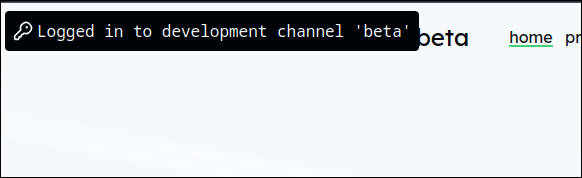
NonNetworked
A lot of times you may want to run services that are not websites, for that use the NonNetworked flag in your project config:
{
  "Version" : "v1",
  "NonNetworked" : true,
  "Pipeline" : [] //...
}